AudioClip Events
A downloadable tool
AudioClip Events provides a simple and flexible way to connect audio playback with gameplay events.
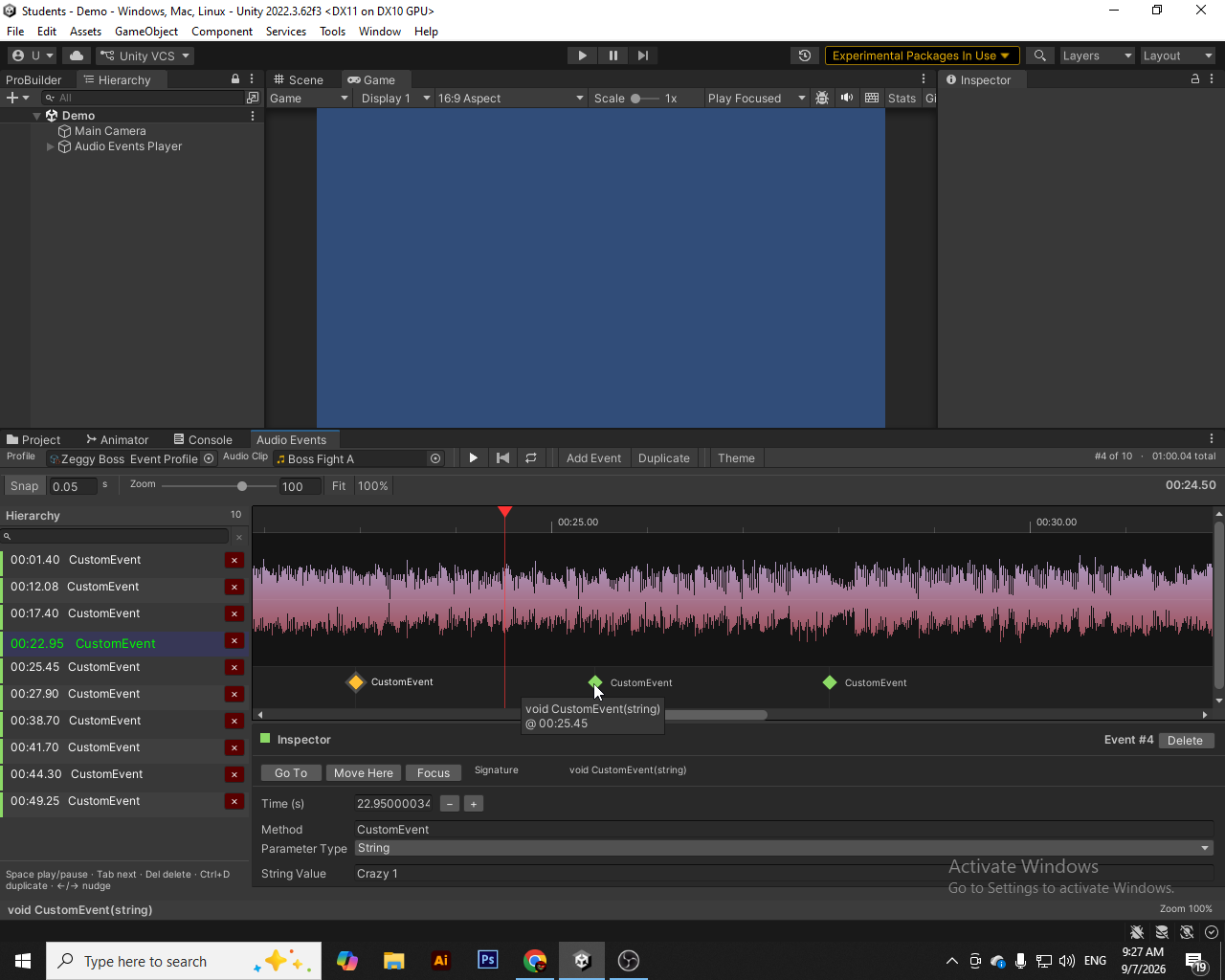
Using the custom ACE Editor, you can visually place events on an audio timeline, assign a method name, choose its parameter type, and set its value. During playback, the Audio Event Player automatically triggers the configured methods at their specified timestamps.
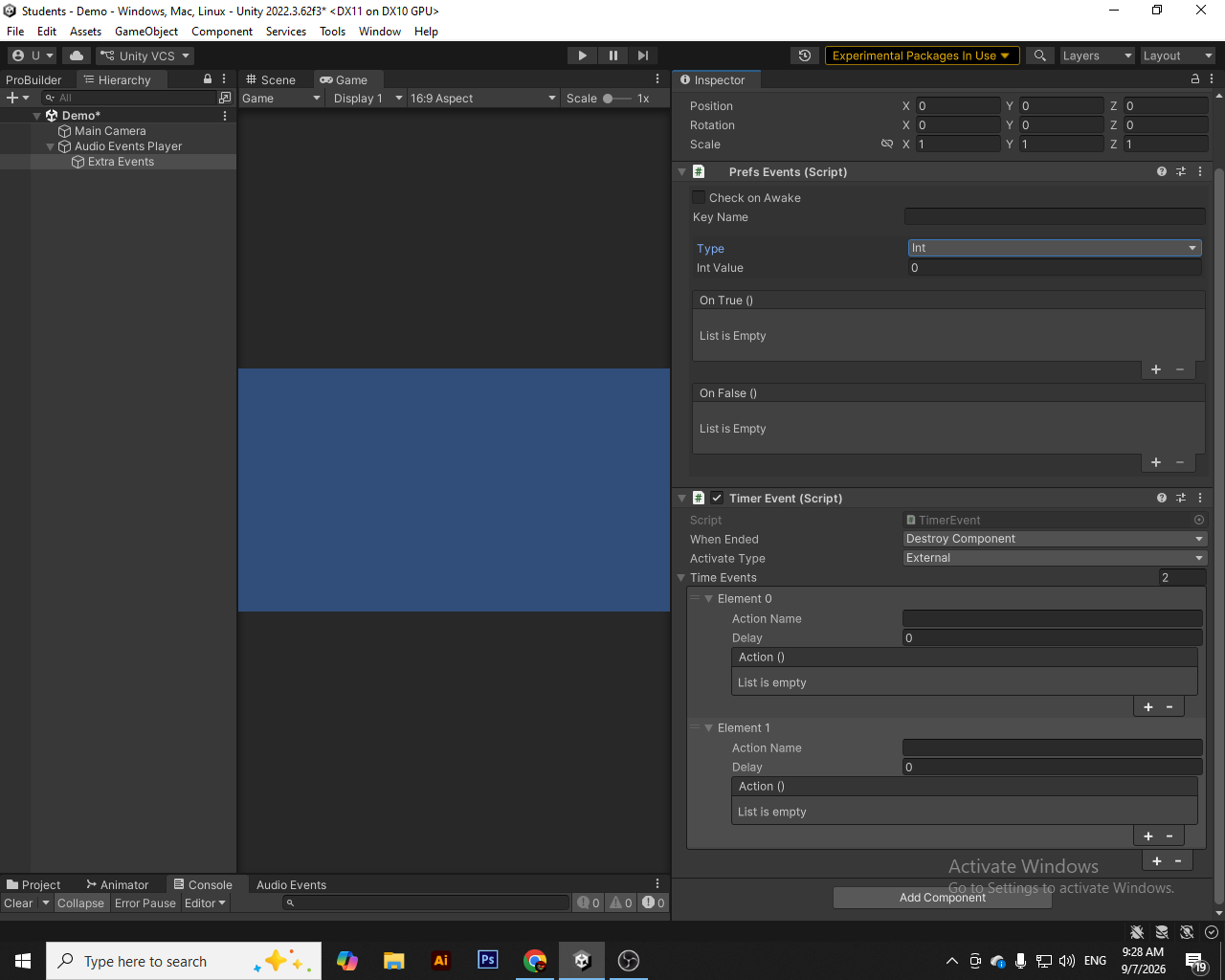
The package also includes several utility components for building event-driven gameplay systems, including Event Methods, Timer Event, and Prefs Events.
The system is highly customizable through Unity's MonoBehaviour and UnityEvent workflow, making it suitable for a wide range of projects and genres, including games, interactive experiences, cutscenes, rhythm-based gameplay, audio-driven mechanics, and more.
This package was used in this game's boss fight: https://ultraboltdev.itch.io/the-biological-factory
Technical Details
- Visual Audio Timeline Editor
- Create and manage events directly on an audio waveform
- Precise event timing based on AudioClip playback
- ACE Profile for storing audio event data
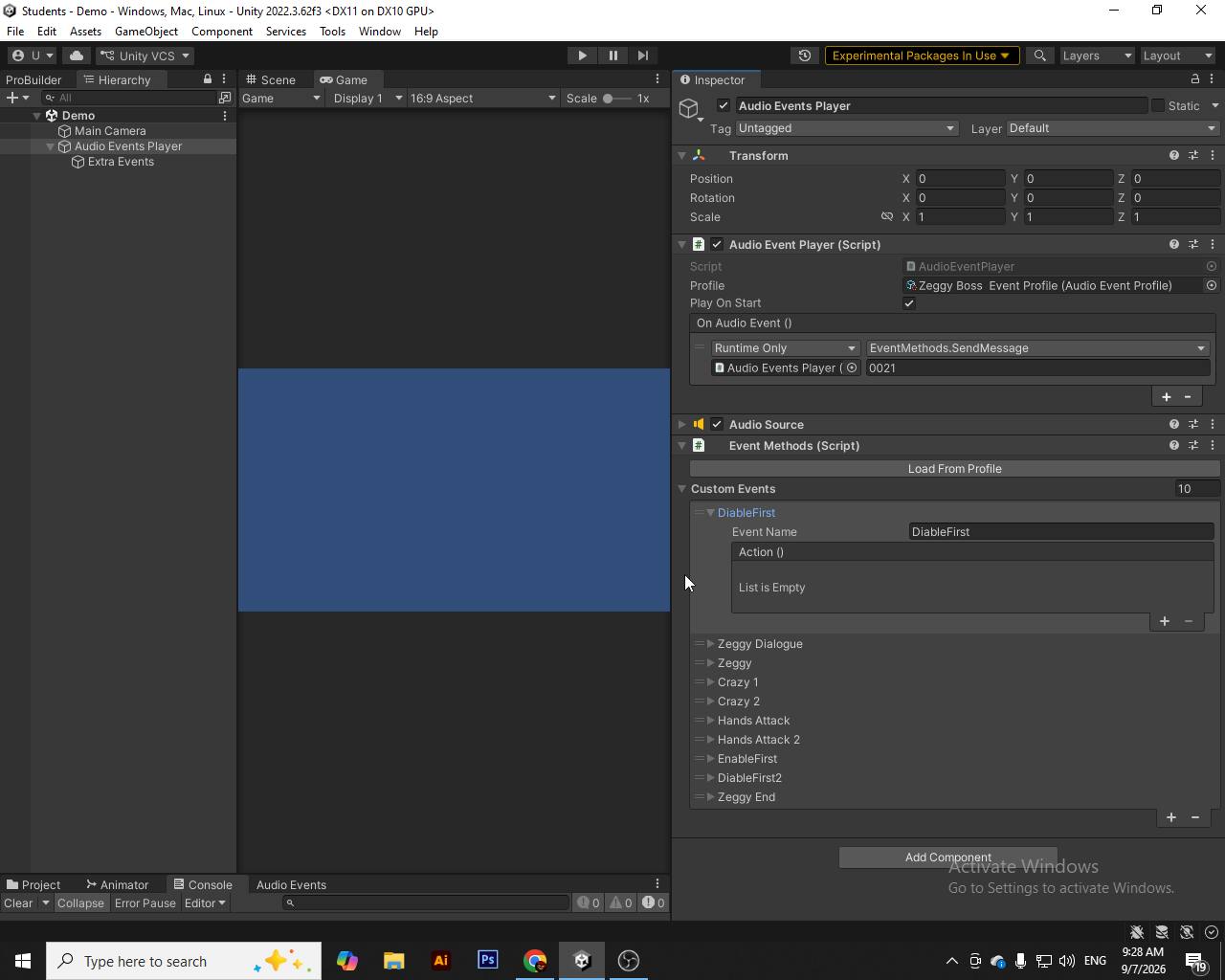
- Audio Event Player for synchronized audio and event playback
- Support for None, Int, Float, Bool, String, and Object parameters
- Method-based event invocation
- Event Methods component with built-in utility methods
- Custom named events using UnityEvent
- Automatically load Custom Events from an ACE Profile
- Timer Event for sequential delayed events
- Multiple timer activation modes: On Start, On Enable, and External
- Multiple timer completion behaviors
- Prefs Events for PlayerPrefs-based conditional UnityEvents
- Designed to work with Unity's standard MonoBehaviour, UnityEvent, and AudioSource workflow
- Suitable for a wide variety of game genres and interactive applications
Purchase
In order to download this tool you must purchase it at or above the minimum price of $5 USD. You will get access to the following files: